Ai chatbot for website: A Practical Guide for UK Businesses
A visitor lands on your service page, has a practical question and cannot find somebody to ask. A static contact form may lose the context, while a generic chat widget may return the same answer
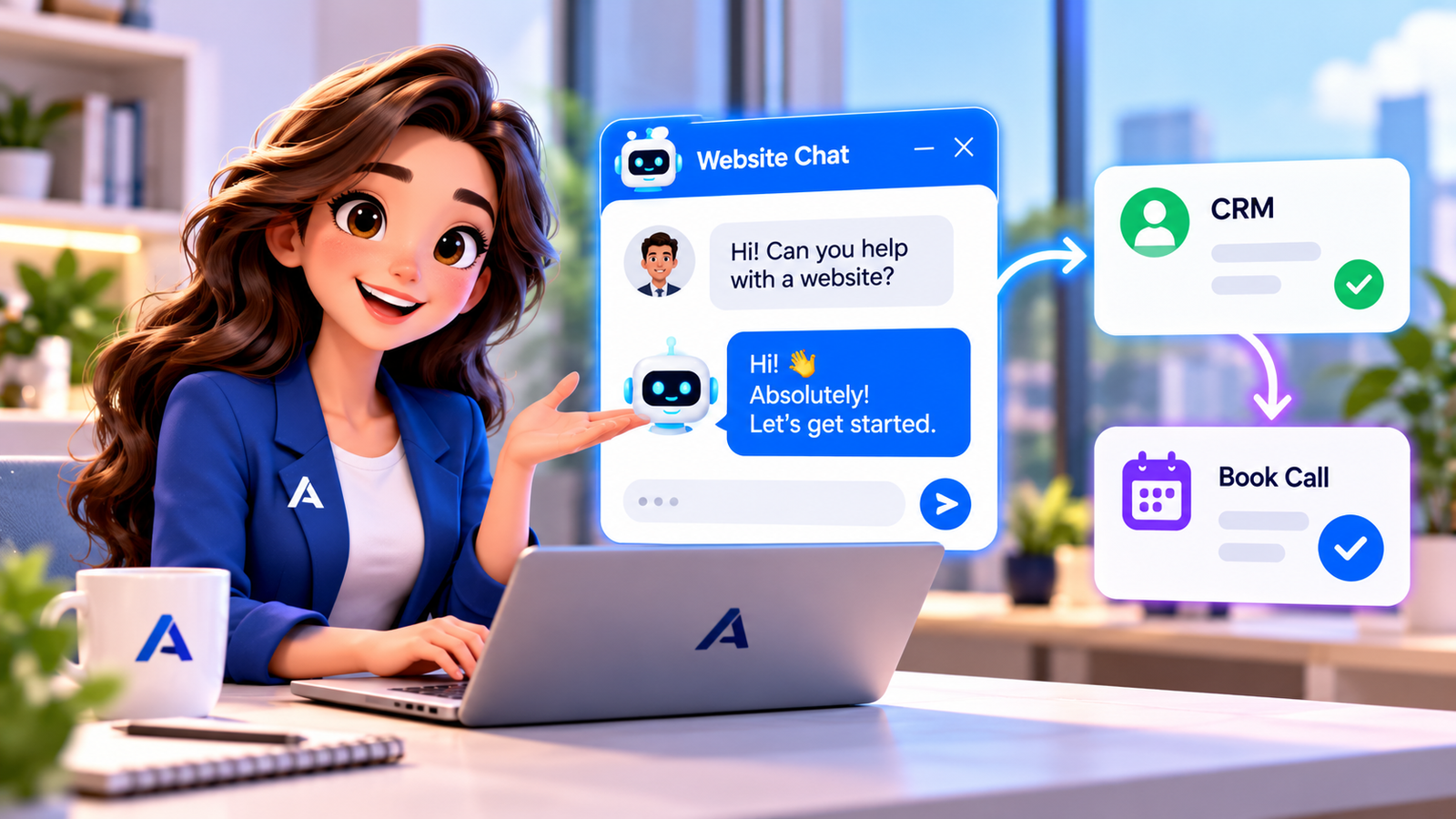
A visitor lands on your service page, has a practical question and cannot find somebody to ask. A static contact form may lose the context, while a generic chat widget may return the same answer regardless of what the visitor needs. An AI chatbot for website conversations can improve the first interaction when it connects helpful answers to qualification, booking and human support. The key is designing the customer journey, not merely installing a chat bubble. This guide shows what small UK businesses should check before adopting website chat automation.
Start with an AI chatbot for small business needs
Ai chatbot for small business: List the questions visitors actually ask: service coverage, opening hours, appointment availability, project fit and how to contact a person. Prioritise one or two journeys with clear boundaries. The chatbot should disclose its automated nature where appropriate and give a direct path to staff. Keep answers grounded in approved site content and assign responsibility for updates when services or policies change. A simple useful chat experience beats an elaborate assistant without reliable information.
For example, a visitor reading a service comparison page may ask about the differences between two approaches. A useful chatbot answers the comparison before asking if the person would like a consultation.
How an AI chatbot for lead generation creates useful opportunities
Ai chatbot for lead generation: Lead capture begins with helping, not demanding contact details in the opening message. Answer the user’s initial question, then ask for the minimum information necessary to continue the requested conversation. Explain why you need an email address or number and what happens next. Pass the enquiry source, requested service and discussion summary into the CRM. Quality matters more than a large count of unfinished chat sessions.
AI live chat for website visitors and staff handoff
Ai live chat for website: Live chat traditionally connects visitors to an available person; AI-assisted chat can address approved routine questions when the team is unavailable. Provide clear triggers for a person to take over when the question is sensitive, the user requests a human or the answer is uncertain. Let staff see the transcript, intent and collected details before replying. Avoid trapping somebody in repeated bot prompts when escalation is needed.
Test mobile display, keyboard access, transcript continuity and the ability to close the chat. An inaccessible widget can create a new problem while appearing to solve customer service.
What chatbot lead qualification should actually ask
Chatbot lead qualification: Qualification should map to the business buying process. A website agency might ask about the type of website, existing system, desired launch window and preferred discussion format. A local service provider might ask for the postcode, urgency and nature of the work. The chatbot must not claim that these answers guarantee acceptance or pricing. Keep the dialogue concise, retain context and avoid collecting excessive information.
Chatbot vs conversational AI: the practical distinction
Chatbot vs conversational ai: A traditional scripted chatbot follows predefined branches and can be very dependable for narrow tasks. Conversational AI typically interprets more flexible wording and can respond using approved knowledge, but needs controls against unsupported answers. Neither architecture automatically guarantees bookings, accurate CRM updates or good privacy handling. Evaluate what each does in the complete workflow, including escalation and reporting, rather than judging only by the chat interface.
Set a fallback when the scheduling integration is unavailable: offer a contact form or staff callback rather than displaying fictitious calendar availability.
Using an AI chatbot that books appointments
Ai chatbot that books appointments: Appointment booking requires a real connection to an authorised scheduling system. The bot should identify a service type, check real availability, confirm timezone and staff capacity, then request the booking and show an explicit confirmation. It must handle changed slots, unavailable calendars and cancellations without implying a booking was made. When no suitable slot exists, create an assigned follow-up task instead of promising something impossible.
Connect website conversations to the CRM and people
Workflow: A visitor starts a chat on a relevant page. The AI layer identifies intent and uses approved information to answer or ask a short qualifying question. Workflow rules then create or update the contact, associate the enquiry with its source page and offer a booking where appropriate. The CRM stores conversation context; an employee receives exceptions and next-step tasks. Analytics should distinguish useful conversations from unqualified submissions and duplicate contacts.
For example, a visitor reading a service comparison page may ask about the differences between two approaches. A useful chatbot answers the comparison before asking if the person would like a consultation.
- Capture the customer request and retain the original context.
- Apply authorised intent recognition and business rules.
- Check permissions, ownership and required human approval.
- Write only confirmed actions to the connected CRM or calendar.
- Monitor failure events and route exceptions to staff.
Privacy, disclosure and security for UK website chat
Compliance: Website chat may collect names, phone numbers, business information and sometimes sensitive facts. The ICO explains that privacy information should tell people why data is collected, how long it is kept and who it is shared with. Do not request unnecessary sensitive information or silently enroll visitors in marketing. Assess cookies and trackers separately where consent requirements apply. Human escalation is especially important for healthcare, legal and financial enquiries.
How A1 Legacy approaches website AI deployment
Implementation: Build the experience around the site’s actual service pages, not a generic script. A1 Legacy connects AI-Powered Website experiences to Conversation AI, CRM records and operational follow-up when the required integrations are configured. Use Discover, Architect, Control, Build, Evaluate, Deploy, Observe and Optimise; test inaccurate questions, duplicate submissions and abandoned bookings. Keep staff able to edit knowledge and review outcomes.
Test mobile display, keyboard access, transcript continuity and the ability to close the chat. An inaccessible widget can create a new problem while appearing to solve customer service.
Implementation checklist
- Document the primary customer problem and baseline.
- Map data fields, owners and the exact permitted actions.
- Write approved knowledge and escalation rules.
- Test unusual, duplicate and failed-action scenarios.
- Launch narrowly with employee review and measured outcomes.
- Improve workflows from real customer feedback.
A website visitor journey worth testing
Imagine a visitor comparing website redesign services. They first ask whether you support an existing site, then whether the team can discuss a possible timeline. The chatbot should use approved website information to answer the first question, ask a concise follow-up about the current platform and offer a conversation if the person wants one. The chat should not produce a fabricated project quote or guarantee availability. Test the same journey on mobile, on a slow connection and after the visitor closes and reopens the widget. Check that any personal information is requested at the relevant point, with a clear explanation of what the business will do with it. If the prospect requests a person, staff should see the preceding messages and page context. Measuring how often people reach a useful next step reveals more than counting every chat bubble opened.
Choosing the right level of automation
| Situation | Recommended approach | Control |
|---|---|---|
| Routine website FAQ | Approved automated answer | Keep content current |
| Qualified enquiry | CRM capture and owner assignment | Avoid unnecessary data |
| Sensitive question | Direct human handoff | Retain conversation context |
Explore A1 Legacy Conversation AI, our A1LegacyStudio CRM, custom integrations and the AI readiness assessment to understand how a connected workflow can be planned.
Frequently Asked Questions
What is an AI chatbot for website visitors?
It is an automated conversation interface on a website that interprets questions and offers responses or next steps. The strongest implementations use approved information, capture useful context and connect to booking or staff systems. AI chat does not automatically replace the need for human support.
Is an AI chatbot useful for small businesses?
It can help when common enquiries arrive outside staffed hours or visitors need direction before contacting sales. Start with a narrow service journey and check the quality of answers. Cost and value depend on the integration and ongoing maintenance required.
Can a website chatbot generate leads?
Yes, it can invite visitors to share contact details after providing help and route their requests into a CRM. The value comes from relevant qualification and follow-up, not simply collecting email addresses. Visitors should understand the purpose of the data request.
How is AI live chat different from a normal chatbot?
Live chat usually means speaking with a human employee; automated chat can answer some questions without waiting for staff. A combined model lets automation handle routine enquiries while people take over nuanced conversations. Show users how to request a human.
What is the difference between chatbot and conversational AI?
Scripted chatbots typically follow fixed rules; conversational AI can interpret broader language and generate contextual replies. Both need accurate content, exception handling and integrations. Choose based on the questions customers ask and the level of control required.
Can an AI chatbot book appointments?
It can if connected to an authorised calendar and supplied with approved booking rules. It should verify the available slot, timezone and service type, and confirm only after the booking succeeds. Calendar errors should trigger a human follow-up.
Does a website chatbot need a privacy notice?
If it collects personal data, the business should provide clear privacy information under applicable data protection rules. Explain purposes, retention and sharing. Marketing consent and non-essential cookies may require additional checks under UK law.
Conclusion: make ai chatbot for website a controlled business process
Ai chatbot for website works best when messages, customer intent, authorised actions and staff responsibilities form one connected process. Begin with a narrow use case, verify the business rules, record outcomes and improve the workflow from real exceptions. Automation should reduce avoidable admin while preserving trust and human judgement. A1 Legacy designs connected customer communication and operational systems around those principles. If you want to assess the next practical step for your business, Talk To An AI Solutions Architect.