CRM Automation for Lead Follow-Up and Service Teams
A practical UK guide to CRM workflows, pipeline stages, lead follow-up, appointment reminders, staff tasks and responsible automation.
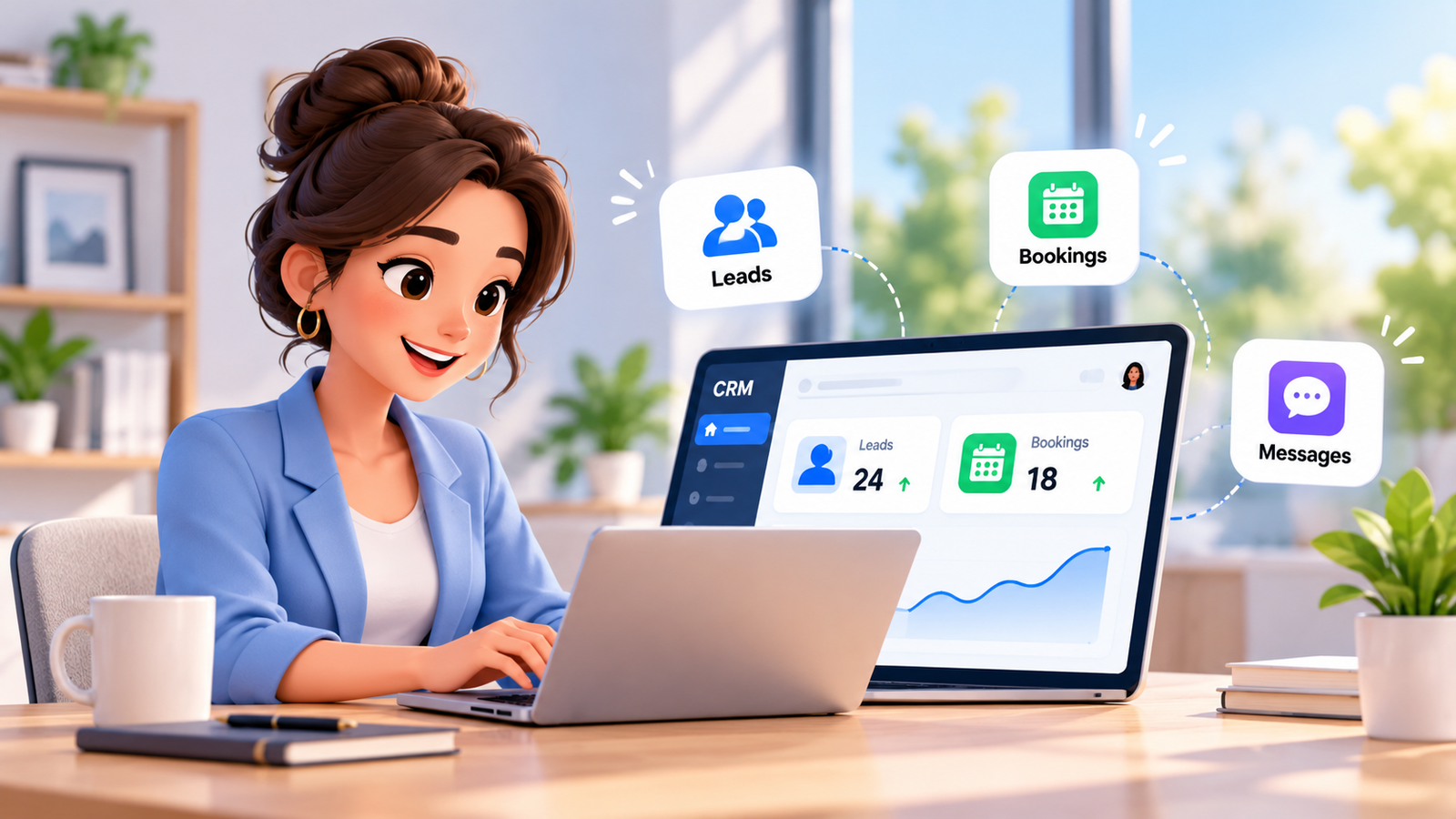
A promising customer enquiry can disappear between an unread inbox, a missed phone call and a spreadsheet that nobody owns. The cost is rarely one dramatic mistake. It is a series of small delays: an unanswered question, an appointment never confirmed and a quote left without a next step. For growing service teams, crm automation provides a practical way to manage those handovers without expecting staff to monitor every system constantly.
The objective is not to send more messages or remove human judgement. It is to connect a customer action to an appropriate next task, record the result and show who owns the relationship. This guide explains workflows, lead follow-up, pipeline rules, appointment reminders and governance, with examples UK businesses can adapt.
What CRM automation fixes before it adds new software
A customer relationship management system stores contacts and opportunities. Automation adds rules that respond to useful events, such as a completed enquiry form, an appointment booking or a sales stage change. When a workflow is well designed, the next step has an owner, a deadline and an auditable record.
Without a connected process, staff may copy details between forms, inboxes and calendars. Two colleagues might contact the same prospect while another enquiry is overlooked. A sales manager may see an open deal but not know whether a proposal has been sent. These are operational costs in staff time, rework and customer confidence, even when no reliable revenue-loss estimate is available.
Start by drawing the actual journey from first contact to completed service. Identify which steps repeat, which require approval and which systems hold essential context. An automation is valuable when it reduces unnecessary handovers rather than making an already confusing process faster.
How crm workflow automation moves an enquiry through the business
CRM workflow automation showing enquiry capture, rules, CRM stages and human handoff.
crm workflow automation follows a straightforward sequence: trigger, validation, decision, action, record and review. A trigger might arrive from a website form, a call summary or a confirmed booking. Validation checks whether the record is complete, correctly matched to a contact and suitable for the requested action.
- Capture: record a new enquiry from an approved channel with its source and timestamp.
- Check: look for an existing contact, missing details and communication preferences before creating a duplicate.
- Decide: apply business rules for service type, location, urgency and staff availability.
- Act: create a task, notify an owner or send an appropriate customer communication.
- Connect: update the opportunity, appointment and conversation history in the CRM.
- Escalate: send sensitive or unclear requests to a person with the relevant context.
- Observe: review failures, response times and customer outcomes, then refine the rules.
For example, a plumbing enquiry received outside opening hours can create a lead, ask for the customer’s preferred contact method and alert an on-call employee if the business has authorised that escalation. The system must not promise emergency attendance unless the business can deliver it. Clear exceptions protect both the customer and the team.
The custom integrations layer matters when the website, CRM, calendar and external operating systems hold different parts of the journey. Integration should include error handling and reliable record matching, not only a connection that works during a demonstration.
Sales pipeline automation: keep every opportunity accountable
sales pipeline automation attaches repeatable actions to defined stages such as New Enquiry, Qualified, Consultation Booked, Proposal Sent, Decision Pending and Won or Lost. The stages should reflect what staff actually do, rather than a generic sales diagram copied from another business.
Moving a lead to Qualified might assign a sales owner and create a discovery task. Moving it to Proposal Sent might set a review deadline, but should not send an aggressive sales sequence without checking the contact’s preferences and the nature of the message. A booked consultation might pause prospecting reminders until the meeting outcome is recorded.
| Pipeline event | Useful automated action | Human control |
|---|---|---|
| New enquiry | Assign ownership and flag missing contact details | Review urgent or ambiguous requests |
| Qualified lead | Create consultation task and update the stage | Approve fit and priority |
| Proposal sent | Schedule an internal review and relevant follow-up | Approve pricing and commitments |
| Appointment booked | Synchronise the calendar and confirmation status | Resolve conflicting appointments |
| Won or lost | Record outcome and close redundant tasks | Verify reason and next service steps |
Each stage needs an exit condition. If an opportunity can move to Proposal Sent without a proposal, reporting becomes misleading. Decide how to handle bounced messages, unresponsive contacts, duplicate enquiries and returning customers. The best process makes these exceptions visible rather than silently advancing a deal.
Automated lead follow-up without overwhelming prospects
Automated lead follow-up timeline with response and escalation checkpoints.
automated lead follow-up starts with a timely response that reflects what the customer actually requested. A visitor asking for a consultation may need a booking link or a staff call. A customer submitting a support request should be routed to the service team, not dropped into a promotional sales campaign.
An effective design separates operational responses, customer-service communications and marketing. A confirmation that an appointment was requested is different from repeated promotional emails. Under UK PECR, the rules for email and SMS marketing depend on the recipient and circumstances, and the UK GDPR still governs personal-data use. Review ICO electronic mail marketing guidance before configuring campaigns.
A practical follow-up workflow can create an immediate internal notification, send an appropriate acknowledgement, wait for a reply and then create a staff task if no response arrives. Stop or adjust subsequent steps when the prospect replies, books, objects or asks not to be contacted. Never treat silence as consent to marketing.
Use a single owner and one shared conversation history to prevent two channels from sending contradictory information. Measure whether contacts receive relevant responses, not simply whether the business sends more messages. This is where the Conversation AI capability can support written customer conversations within an approved, connected workflow.
Lead nurturing automation for longer buying decisions
lead nurturing automation is useful when a customer needs several considered interactions before making a decision. An accounting prospect might need to understand the onboarding process. A property owner may want to discuss service coverage and responsibilities. Neither journey benefits from identical generic messages sent on a rigid schedule.
Segment contacts using relevant, responsibly collected information such as requested service, stated timing or whether a consultation took place. Then decide what would genuinely help: a clear explanation of next steps, a requested resource, or a reminder to an employee to check in. Avoid inferring sensitive characteristics or using intrusive profiling.
A good nurture plan includes exit rules. Stop when a contact unsubscribes, becomes an active customer, is marked unsuitable or requests human assistance. Keep message frequency proportionate and maintain suppression records across connected channels. Review response quality and complaints, not only open rates, which can be unreliable indicators of interest.
For UK organisations, automated profiling and consequential automated decisions require particular care. The ICO explains safeguards around automated decisions, including human intervention in relevant cases; requirements have been updated through the Data (Use and Access) Act 2025. Seek qualified advice for high-impact use cases rather than automating eligibility or other sensitive decisions by default.
Automated appointment reminders and how to reduce no-shows
Automated appointment reminders connected to calendar status and customer replies.
automated appointment reminders can help a customer remember when and where to attend, what preparation is required and how to reschedule. But reminders should only be triggered by a real, confirmed booking. If the CRM and calendar disagree, the workflow should flag the conflict before delivering a misleading message.
Businesses asking how to reduce no-shows should inspect the entire appointment journey rather than assuming an extra text message is enough. Poor availability information, inconvenient booking times, unclear location details and complicated cancellation processes can all contribute to missed appointments. A reminder is most useful when the recipient can act on it.
- Provide a clear confirmation with date, time, timezone where relevant and location or meeting instructions.
- Offer an accessible reschedule or cancellation path that updates the live calendar.
- Check communication preferences and whether reminders are genuinely service-related rather than promotional.
- Prevent reminders being sent after cancellation, completion or a manual staff override.
- Route failed delivery, bounced email or conflicting status to a responsible team member.
- Track attendance and rescheduling by appointment type, using an agreed baseline before claiming improvement.
A dental practice might send a neutral booking reminder without treatment advice, while a home-services business may confirm an engineer’s arrival window. In healthcare, legal and financial services, automated systems should handle administrative coordination only and leave regulated advice or sensitive decisions to qualified staff.
CRM task automation: give staff a clear next action
crm task automation turns a customer event into an internal assignment. For example, a customer reply containing an unusual requirement might open a task for a specialist. A quotation awaiting approval could go to a manager. An unresolved service issue could prompt a supervisor review, with a clear deadline and evidence of completion.
Tasks need an accountable owner, meaningful due date, priority and enough context to act. Avoid generating a separate notification for every trivial field change; excessive noise hides important work. Build deduplication and cancellation rules so completed or superseded tasks do not keep resurfacing.
Use escalation sparingly but reliably. When a task is overdue, alert a designated person instead of silently reassigning it in a loop. Staff should be able to correct customer details, override a flawed rule and record why an exception was made. Auditability and good training matter as much as the automation trigger.
Manual workflows versus connected CRM automation
| Decision factor | Mostly manual approach | Connected automation approach |
|---|---|---|
| Lead intake | Staff checks several inboxes | Approved channels create a shared record |
| Pipeline ownership | Stage changes rely on memory | Events create assigned tasks and review points |
| Appointment handling | Manual calendar and reminder checks | Calendar events can trigger confirmations and exceptions |
| Customer communication | History split across tools | Conversations and preferences can inform next steps |
| Complex decisions | Staff decides | Staff still decides; system assembles context |
| Failure recovery | Problems discovered late | Alerts, logs and manual override paths |
Automating a broken process simply makes mistakes more consistent. Before migration, define how success will be measured: time until first appropriate response, proportion of enquiries assigned an owner, overdue tasks, booking changes and the rate of failed workflow actions. Compare those measures with a realistic baseline.
How A1 Legacy approaches CRM automation deployment
A1 Legacy treats the CRM as part of a coordinated operating system, not a stand-alone contact list. The implementation pattern connects customer channels to an AI layer, workflow and integration logic, the CRM and a human employee or operational destination. The A1LegacyStudio CRM provides the described operational layer for contacts, pipelines, tasks, workflows, calendars, conversations and reporting.
Its wider A1 Intelligence Stack is expressed as Engage, Understand, Act, Connect, Operate, Observe and Govern. Deployment follows Discover, Architect, Control, Build, Evaluate, Deploy, Observe and Optimise. These frameworks keep permissions, handoffs, monitoring and business accountability in scope rather than treating launch day as the finish line.
An AI-Powered Website can provide an enquiry entry point, while relevant integrations connect scheduling and other systems. The appropriate mix depends on an approved architecture, existing platforms and the team’s actual needs. Human employees retain responsibility for negotiation, approvals, sensitive advice and exceptions.
Implementation checklist: start with one process and prove it works
- Map one customer journey from initial enquiry to outcome, including every tool and owner.
- Write down current bottlenecks and establish a measurable, defensible baseline.
- Define the CRM fields, pipeline stages, data sources and duplicate matching rules.
- Separate operational notifications from marketing and review lawful basis, consent and opt-out requirements.
- Select a low-risk workflow with a clear trigger and one useful outcome.
- Specify staff approval, escalation, cancellation, retry and error-handling rules.
- Test genuine scenarios, including no response, duplicate records, reschedules and customer objections.
- Pilot with a small team and review conversation quality and task accuracy.
- Document responsibilities, train users and keep a manual fallback available.
- Review results regularly, improve the rules and expand only when the first journey is reliable.
Do not assume purchasing a platform makes an organisation compliant. Review data-processing arrangements, retention, access restrictions, data-subject rights and international data transfers for the actual configuration. The ICO UK GDPR resources provide an authoritative starting point, but legal advice should come from qualified professionals.
Frequently Asked Questions
What is CRM automation?
CRM automation uses triggers and rules to create, update or route customer records, tasks and communications. A well-designed process records what happened, assigns ownership and includes human checks. It can reduce routine administration, but it does not replace a reliable customer journey or the judgement needed for complex situations.
How does crm workflow automation work?
CRM workflow automation links an event, such as a form submission or pipeline change, to defined checks and actions. It can assign an owner, update a record and create a follow-up task. The workflow should handle duplicate contacts, failed steps, privacy preferences and exceptions before it is used at scale.
Can sales pipeline automation improve follow-up?
Sales pipeline automation can create reminders and tasks when an opportunity reaches a defined stage. This helps staff see which deals need attention and why. Results depend on accurate stage definitions, record quality and the team’s follow-through; automation alone cannot guarantee more sales or conversions.
What is the difference between automated lead follow-up and lead nurturing automation?
Automated lead follow-up responds to a specific enquiry or unfinished next step, while lead nurturing automation supports a longer decision process with relevant, appropriately authorised communications. Both need clear stop conditions and shared contact preferences. Marketing messages must follow applicable UK PECR and data-protection rules.
Do automated appointment reminders reduce missed bookings?
Automated appointment reminders can make appointment details easier to find and allow customers to reschedule promptly. Their effectiveness varies by business and booking process. For teams exploring how to reduce no-shows, monitor actual attendance and cancellation patterns, and make sure calendar changes immediately stop outdated messages.
What tasks should CRM task automation handle first?
Start with repeatable internal tasks that are easy to verify: assigning new enquiries, flagging missing information, notifying an owner after a booking change or scheduling proposal reviews. Keep pricing approvals, sensitive complaints and regulated decisions with authorised people. Test duplicate suppression and overdue-task escalation before expanding.
Is CRM automation GDPR compliant in the UK?
Compliance depends on how the organisation configures and uses its system, not on the product name. Review lawful bases, transparency, access controls, retention, processor arrangements and individual rights. Email and SMS marketing can also fall under PECR. Use current ICO guidance and obtain qualified legal advice where necessary.
How should a small business measure automation success?
Choose operational measures related to the original problem, such as first appropriate response time, unassigned enquiries, overdue tasks, booking changes and workflow error rates. Capture a baseline, pilot with a small sample and review staff feedback. Avoid attributing revenue increases to automation without reliable evidence.
Conclusion: make every next step visible
crm automation works best when it follows a thoughtful operating process rather than a collection of disconnected triggers. Start with one important customer journey, decide what the next action should be and make sure an appropriate person can intervene. Reliable records, sensible communication rules and clearly owned exceptions make the system useful over time.
From pipeline movement to appointment changes, connected workflows can support a more consistent customer experience without claiming that software removes every risk. If your team is ready to assess the opportunity, Talk To An AI Solutions Architect about a practical, governed deployment plan.