CRM Migration: How to Switch Systems Without Losing Context
A step-by-step UK small-business CRM migration guide covering data mapping, spreadsheet imports, configuration, testing and onboarding.
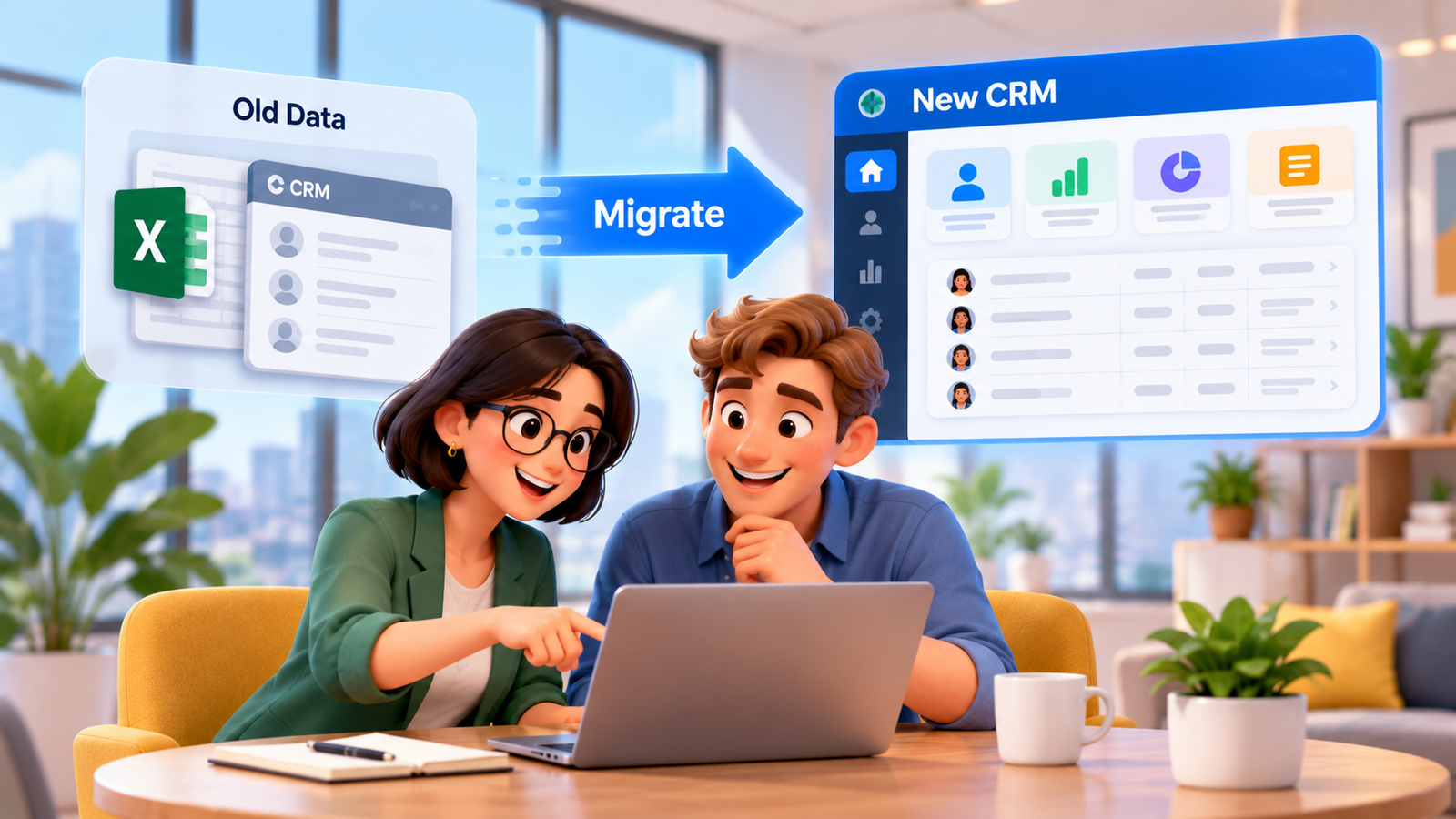
Your team has customer details in an old CRM, quotations in a shared spreadsheet and appointment notes in individual inboxes. You want a connected system, but switching tools creates a genuine concern: what if the data comes across incorrectly, colleagues lose their context or customers receive the wrong follow-up? A successful CRM migration treats those risks as design requirements rather than problems to discover after launch.
For a UK small business, the objective is continuity. Contacts, opportunity stages, permissions, consent records and responsibilities should remain understandable as the team starts using the replacement platform. This guide explains how to audit your current setup, map and move data, pilot the new workflow, train staff and decide when to engage implementation support. It also distinguishes routine CRM administration from the legal and security decisions that require accountable human oversight.
Why CRM migration is an operational change, not a file upload
Inventory and reconciliation sit between exporting old records and using the new CRM.
An export may contain perfectly valid rows while the new business process is broken. For instance, a record named “Quote Sent” in the old database may be imported as a closed sale, or the assigned employee may no longer work for the company. A text field containing marketing objections could be lost even when the contact email transfers correctly. The visible transfer total alone cannot prove readiness.
The operational cost of a weak move appears in repeated customer questions, incorrect appointments, missed follow-ups, duplicate marketing and staff distrust. These are risks rather than guaranteed financial losses, so avoid unsupported claims about return on investment. Record your own baseline: how many unowned enquiries, duplicates, stalled deals and disputed records exist before the change?
Set a clear outcome for the new system. For example, every open service enquiry should have an owner, a meaningful status, its recent contact history and the next approved action. Agree which data must be preserved to achieve that outcome, what can be archived securely and what should be deleted under the business retention policy.
Assign responsibility before touching the data
- Business owner: approves migration scope, risk and launch decision.
- Data steward: defines source-of-truth fields and resolves conflicting records.
- Process owner: signs off pipeline stages, appointments and staff handoffs.
- Technical lead: manages exports, secure transfer, mapping, imports and logs.
- Frontline testers: verify that real enquiries can be handled after cutover.
A single person may hold several roles in a very small business, but every decision still needs an owner. Create a shared issue register so that errors found during testing are documented, prioritised and resolved before importing the full dataset.
How to switch CRM using a phased migration plan
People searching how to switch crm are often comparing two software products, but the safer question is how to maintain service while data and processes change. Begin by documenting what actually happens when somebody calls, completes a form, requests a quote or reschedules an appointment. This reveals the connections that an export file cannot show.
Identify the systems involved: email, telephony, calendars, website forms, SMS, invoicing, reporting and any existing automation. For each connection, record who controls the account, which events trigger actions, what data moves and what should happen if a connection fails. Verify integration support in the intended configuration rather than assuming an advertised feature covers your workflow.
- Discover: inventory objects, channels, users, business rules and dependencies.
- Define: choose the destination data model, required fields and acceptance tests.
- Protect: approve handling rules and maintain a securely stored export or backup.
- Pilot: import a representative sample and run complete customer journeys.
- Reconcile: check record accuracy, relationships, timestamps, permissions and ownership.
- Cut over: freeze or carefully control legacy changes and make the new system authoritative.
- Observe: monitor errors, users and unresolved tasks; retain a rollback procedure.
Do not describe a pilot as successful merely because the import interface reports completion. Have a service manager open a live-style opportunity, review the last customer conversation, assign an owner and create a follow-up. Repeat with a duplicate contact, an opted-out contact and a missing phone number to see where the process needs human intervention.
How do you decide when to retire the old CRM?
Retire the old subscription only after agreed verification is complete and retention, export and contract obligations are understood. Some legacy records may need secure archiving rather than active import. Preserve the information needed to correct errors discovered later, while avoiding an indefinite second uncontrolled customer database.
Move from spreadsheets to CRM with clean records and clear ownership
Columns, contact identities and record owners need a documented destination.
The decision to move from spreadsheets to crm usually begins when the same customer appears in several tabs, staff use different status labels or reminders depend on one person remembering to check a file. A spreadsheet can be useful for simple reporting, but it cannot by itself enforce a reliable customer journey across channels and teams.
Start by collecting the authorised sheets and deciding which one is authoritative for each data field. A “mobile” column, for example, may contain numbers with different international prefixes or values copied into a notes cell. A “customer status” column may mix won work, proposed work and an individual colleague’s opinion. Standardise definitions before importing them into permanent CRM fields.
Check duplicates carefully. Two customers may share a family email address, while the same customer may use a personal and business email. Matching only on one field can combine unrelated people or create unnecessary duplicates. Establish rules and review uncertain matches manually. Document which records were merged and retain meaningful consent or suppression information.
Practical field-mapping example
| Spreadsheet field | Destination CRM field | Validation before import |
|---|---|---|
| Customer name | Contact or company name | Separate organisations from people; preserve display names |
| Email / mobile | Contact channels | Normalise syntax; identify shared or duplicate values |
| Quote status | Opportunity pipeline stage | Translate only into stages with equivalent meanings |
| Assigned colleague | Record owner | Map inactive users to an approved handover queue |
| Last contacted | Activity or historical date | Retain time zone and original-event meaning |
| Do not market | Suppression or communication preference | Preserve opt-outs without defaulting to consent |
Keep a mapping document with source field, destination, transformation rule, responsible reviewer and sample outcome. This becomes the shared reference for technical import work and business acceptance. If an old free-text note has no safe destination, decide whether to archive it, transform it with review or leave it out rather than silently dropping it.
CRM data migration: protect relationships, history and data quality
CRM data migration is more than copying contacts. Depending on the systems and available exports, it may involve organisations, opportunities, notes, tasks, appointments, communication history, files and marketing preferences. Each type can have relationships that need to survive: an opportunity belongs to a company, has a contact and is owned by a colleague. Import order and record identifiers therefore matter.
Review vendor export and import limitations before promising historical continuity. Some APIs and importers cannot recreate original timestamps or full conversation threads. Attachments, recurring events, automation rules and audit history may need separate handling. Explicitly classify every category as “migrate”, “archive”, “rebuild” or “do not retain”, with a reason and an approver.
Test the exceptions rather than only the easiest records
- A customer associated with multiple opportunities or business locations.
- An open booking and an overdue task owned by someone who has left.
- A partial record containing a missing postcode or phone number.
- Contacts that have opted out of marketing but still require service messages.
- A closed opportunity whose history must remain labelled as historical.
- An attached document with restricted access and a defined retention period.
After a sample import, compare numbers across meaningful subsets rather than just total contacts. Count open opportunities by stage, unresolved tasks, users, suppression records and important linked objects. Open representative records to verify that meaning survived transformation. Log all exceptions; counts may differ legitimately after approved deduplication, but every difference needs an explanation.
A rollback plan should specify who decides to pause launch, where the verified backups reside, how new activity created during the pilot will be preserved and how customers will continue receiving replies. Do not rely on simply clicking “undo”. The realistic recovery method depends on vendor capabilities and how much activity happened after the cutover.
CRM implementation: design the workflow after the data is ready
A sensible crm implementation connects clean records to daily operations. Begin with the customer channel, any approved AI assistance, workflow and integration rules, the CRM record and the responsible human or operational system. This makes the CRM part of a coherent service process rather than another screen that employees must remember to update.
For a home-services firm, a form enquiry may create a contact, assign a location-specific owner and request a callback. A staff member checks the job requirements before committing to a price or appointment. For a financial advisory practice, automation can route administrative requests and create tasks, but it should not issue regulated financial advice. For healthcare, keep AI support to non-clinical coordination and route medical questions to authorised professionals.
Build stage definitions and permissions before extensive automation. An “appointment confirmed” stage must require a confirmed calendar event, not just a request. An automated reminder should not contact someone who opted out of the relevant messages or whose appointment has been cancelled. A closed-won status should be based on a documented real outcome, not an optimistic prediction.
Compare migration and implementation responsibilities
| Workstream | Primary question | Proof of completion |
|---|---|---|
| Migration | Did the necessary data transfer correctly? | Mapped, reconciled records and exceptions |
| Configuration | Does the new CRM match the business process? | Approved fields, pipeline, roles and permissions |
| Integrations | Do connected systems exchange correct events? | End-to-end tests with error handling |
| Onboarding | Can staff use the system during real work? | Role-based scenario tests and documented support |
| Governance | Are data responsibilities and controls defined? | Reviewed contracts, access and retention decisions |
Treat deployment as a controlled change. Pilot one team or branch before extending the new operating model. Track task completion, data corrections and customer response quality instead of equating a successful login with adoption.
When a CRM setup service is worth evaluating
A structured implementation pairs technical configuration with staff ownership.
A crm setup service can help when the old system contains inconsistent fields, important integrations or customer communication history that cannot be moved by a straightforward import. External expertise may also help a small firm document workflows and acceptance tests while its staff continue running day-to-day operations. Buying assistance does not transfer responsibility for business decisions to the supplier.
Ask each prospective provider for a scope that separates data export, cleaning, mapping, import, integration, training and post-launch support. Require explicit statements about unsupported object types, likely manual effort, access arrangements and what counts as accepted work. If a supplier promises that everything will move with no changes, ask them to demonstrate that claim using a representative sample.
Questions to ask before authorising access
- Which source systems and object types can be exported and imported?
- Who approves matching rules, record deletion and retention decisions?
- How will administrator credentials, temporary exports and backups be protected?
- Will historical notes, attachments, opt-outs and linked appointments be retained?
- What testing, handover documentation and staff training are included?
- What happens if a pilot fails or an import has already changed records?
Agree the practical contract boundaries in writing. Where a supplier processes personal data on behalf of the business, the UK GDPR controller–processor requirements may apply. Refer to the ICO guidance on processor contracts and obtain appropriate professional review. Avoid supplying broad production access until roles, purpose and security controls are understood.
CRM onboarding for small business: help people use the new process
CRM onboarding for small business should focus on what the receptionist, salesperson, operations manager and business owner do each day. A generic feature tour often fails because it does not explain the meaning of statuses, ownership rules or what to do when a record is wrong. Role-based examples can turn the new system into a reliable shared practice.
Show each user how to find an existing customer, check communication history, create a legitimate new record, mark a follow-up as complete and escalate a sensitive enquiry. Teach staff not to create duplicate contacts just because a surname is misspelt or a message arrived through another channel. Give managers a dashboard that highlights exceptions without encouraging pointless activity.
Your first-week adoption checklist
- Assign an internal CRM owner and a support contact for launch questions.
- Provide a short reference sheet for pipeline definitions and record ownership.
- Run role-specific practical exercises using controlled test data.
- Check that approved users have only the permissions needed for their work.
- Review duplicate records, unassigned leads and failed integrations every day.
- Record genuine errors and adjust training or configuration after review.
- Stop editing the old spreadsheet once the agreed new source of truth is active.
Expect questions after go-live. Keep a short feedback channel and set dates for follow-up reviews so colleagues can report confusing fields or broken handoffs. Adoption should be assessed through accurate work, appropriate customer care and fewer unresolved exceptions, not the number of logins alone.
Privacy, UK GDPR and human control during migration
The ICO data protection principles address lawfulness, purpose limitation, minimisation, accuracy, storage limits, security and accountability. A platform label cannot guarantee compliance: lawful use depends on data practices, agreements, permissions and what your organisation actually does. The ICO also states that personal data must be accurate where necessary; migration is a useful moment to identify outdated or misleading records.
Check whether external processors or international transfers are involved, restrict access to exports and logs, establish clear retention periods and document rights-handling routes. The ICO accuracy guidance is particularly relevant when deduplicating or merging records. Record uncertainty rather than replacing missing information with guesses.
Marketing preferences must survive the move. UK PECR and UK GDPR can affect promotional email, SMS and calling workflows; a past service enquiry does not grant unlimited future marketing permission. Review applicable consent or other rules, sender identification, opt-outs and suppression lists with an appropriate adviser. Treat a necessary appointment update differently from a promotional campaign and never automatically change a previous opt-out into permission.
Human oversight remains essential for conflicting records, unusual financial or medical information, disputed preferences, sensitive complaints and approval of consequential changes. Use AI assistance for repeatable classification and routing only with appropriate checks, and preserve traceable review of uncertain outcomes.
How A1 Legacy supports connected CRM migration
A1 Legacy positions A1LegacyStudio CRM as the operational layer for contacts, opportunities, pipelines, conversations, calendars, forms, workflows, tasks, attribution and reporting. Custom Integrations can connect external systems where a suitable integration is available and properly designed. Any particular importer capabilities, historical transfers and onboarding scope should be confirmed for the proposed engagement rather than assumed.
The A1 Intelligence Stack — Engage, Understand, Act, Connect, Operate, Observe and Govern — provides a way to think about communication, actions and oversight. The A1 deployment approach progresses through Discover, Architect, Control, Build, Evaluate, Deploy, Observe and Optimise. This fits a migration programme that begins with careful mapping and ends with monitored customer operations, not merely a software change.
Connected Conversation AI or the Voice AI Receptionist may be considered separately when customer channels warrant them. People should still approve exceptions, resolve sensitive questions and retain accountability for customer promises.
A pre-launch checklist to make the new CRM dependable
- Define the migration scope and an accountable business sponsor.
- Create an approved inventory of source systems, exports and data owners.
- Review data quality, duplicate handling, consent and retention before importing.
- Document every field mapping and unsupported record type.
- Test sample imports, relationships, permissions and historical accuracy.
- Reconcile open opportunities, upcoming appointments and unresolved tasks.
- Test incoming enquiries, follow-up triggers, calendar changes and human escalation.
- Set a controlled cutover window, communication plan and recovery route.
- Train staff using role-specific customer scenarios and confirm readiness.
- Monitor operational exceptions after launch and arrange a formal review.
A migration is ready when the business can reliably serve customers with the new information and workflow. If material mismatches remain, delay launch, correct the mappings and run the test again. A measured change is preferable to moving an unresolved problem into a more sophisticated platform.
Frequently Asked Questions
What is CRM migration?
CRM migration is the controlled move of customer and operational information from spreadsheets, an old CRM or disconnected tools into a chosen CRM structure. It includes inventory, cleaning, mapping, test imports, verification, access controls and team training. A successful move preserves meaningful context and working processes, not merely the number of rows copied.
How to switch CRM without losing customer information?
Begin with an inventory of records and integrations, confirm export permissions, and take a recoverable backup. Map fields and relationships before running a small test import. Reconcile sample records and overall counts, plan a cutover window and keep a documented rollback route. Never cancel the old system before the required data and workflows are verified.
How can we move from spreadsheets to CRM?
First standardise contact names, email formats, dates, ownership and pipeline stages across sheets. Resolve duplicates without discarding useful history, then map columns into CRM fields. Import a representative sample and check linked opportunities and notes before moving the remaining data. Train the team to maintain records in the new system instead of restarting parallel spreadsheets.
What does CRM data migration include?
CRM data migration can include contacts, companies, opportunities, ownership, tasks, notes, activities, tags, consent or suppression records and selected files. The actual scope depends on what both systems can export and import. Links between objects, historical timestamps, attachments and automation settings often need separate handling and must never be assumed to transfer automatically.
How long does CRM implementation take?
There is no reliable universal duration. Scope, record quality, integrations, staff availability, access permissions and approval cycles determine the schedule. A small pilot with limited fields may be straightforward, while complex historical data and business-critical connections require more testing. Ask for a plan with milestones, acceptance criteria and a realistic contingency window rather than a guaranteed deadline.
When is a CRM setup service useful?
A CRM setup service is particularly useful when teams lack time to design pipelines, clean legacy data, configure permissions or test integrations. The provider should document what is included, what cannot transfer, who owns acceptance testing and how problems are resolved. Sensitive decisions about retention, lawful basis and access remain with the business and its qualified advisers.
What should CRM onboarding for small business cover?
CRM onboarding for small business should teach each role how to find customer context, update pipeline stages, assign tasks, record consent preferences and escalate exceptions. Use real practice scenarios, quick reference instructions and named internal owners. Review data errors and adoption after launch so the team does not quietly return to inconsistent spreadsheets.
Is moving data to a new CRM automatically UK GDPR compliant?
No. UK GDPR duties continue throughout migration, including lawful and transparent processing, data minimisation, accuracy, security, retention and individual rights. Assess any processors and international transfers, ensure appropriate contracts and access controls, and test how corrections or deletion requests are handled. Obtain professional advice for your circumstances rather than relying on a platform label.
Conclusion: plan CRM migration around trusted customer context
Reliable CRM migration combines data accuracy, operational design and staff confidence. Take time to inventory the old tools, map meaningful fields, test exceptions and reconcile real customer journeys before retiring the previous system. A careful project protects ownership, follow-up commitments and communication preferences while providing an understandable path for the team.
For UK service businesses, the goal is not to move the greatest number of rows in the shortest time. It is to create a maintainable process with good access controls, clear accountability and human review where it matters. If you want to discuss a migration plan built around connected customer operations, Talk To An AI Solutions Architect.