n8n Automation Agency: Building Reliable Business Workflows
A UK guide to n8n workflows, AI agents, CRM connections, platform choices and secure automation delivery.
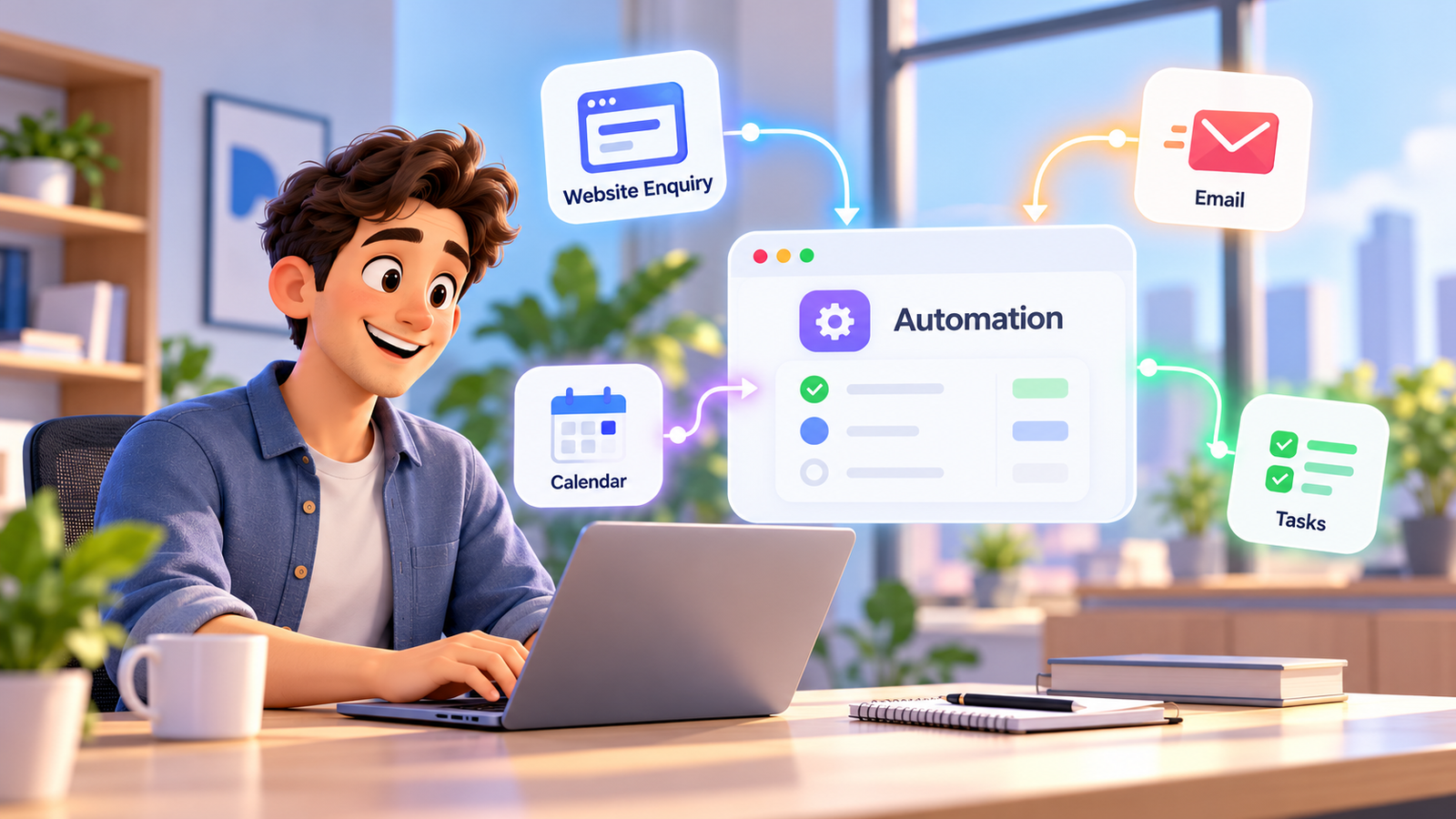
A new enquiry arrives from a website just as your team is handling telephone calls. Its details sit in a notification, someone copies the name into a spreadsheet, another employee searches the CRM, and the customer receives no clear response. The problem is not a lack of software. It is that each system knows only part of the customer journey. An n8n automation agency can help design connections that make the next action predictable, visible and accountable.
For UK service businesses, automation is valuable when it reduces manual handovers without concealing errors or removing human judgement. This guide explains n8n workflows, AI agents, CRM connections, hosting choices and the practical trade-offs between automation platforms. It also sets out security, privacy and implementation questions to resolve before placing real customer information into a live process.
Why businesses commission an n8n automation agency
Business operations often grow one tool at a time. A company adds a website form, a booking calendar, a CRM, an email service and accounting software because each solves an immediate need. Over time, staff become the integration layer: they compare records, chase incomplete tasks and decide which application contains the current version of events. The operational cost is more than the minutes spent on data entry.
Unmatched enquiries can be forgotten, appointments can be confirmed twice, and teams may contact customers without knowing what was agreed previously. Managers then struggle to distinguish a genuine low lead volume from slow processing or missing follow-up. A connected workflow can make those failures measurable, but it does not guarantee more sales, lower staffing costs or flawless answers.
A credible agency starts by mapping one high-impact process and defining what successful completion means. It should agree which system owns each record, where the workflow must stop, how failures are reported and who can approve exceptions. This keeps the brief focused on operational outcomes rather than the number of nodes shown on an impressive canvas.
Start with a process rather than a platform feature
- Trigger: identify the event that starts work, such as a valid form submission or confirmed appointment.
- Decision: define the rules for matching records, assigning owners and handling missing information.
- Action: update only authorised fields or create a review task.
- Evidence: keep enough logging to confirm whether the expected outcome happened.
- Fallback: route exceptions to staff with the relevant context.
Use your own baseline before commissioning a build. Count unanswered enquiries, mismatched contact records, manual handoffs, failed appointment updates and the time required to investigate each exception. Compare the same measures after a controlled pilot; this is more credible than copying industry-wide savings claims.
How n8n workflow automation connects customer channels to operations
n8n workflow automation uses triggers, nodes and conditional routes to connect authorised services. A webhook may receive a website event, a validation step checks the payload, an API call looks up a CRM contact and a later step creates a task. The workflow can stop or branch when information is incomplete, a customer record is ambiguous or a requested action requires approval.
A useful mental model is customer channel → automation and AI layer → integrations → CRM → staff, calendar or another operational endpoint. The technology sits between systems so that context can move with the enquiry. It must not become an unobservable black box that changes records without telling the responsible team.
Example: a website enquiry becomes an accountable follow-up
- A prospect submits a quote request with service type, preferred time and contact information.
- A workflow checks the structure, rejects obvious invalid input and stores the original source reference.
- The CRM is queried for an existing record using an agreed matching rule.
- The appropriate owner or team receives a new opportunity, updated record or review item.
- Approved operational acknowledgement is sent only if its trigger and content are appropriate.
- Failures, duplicate possibilities or sensitive requests go into a human exception queue.
The same sequence can serve property enquiries, trade service quotations or appointment intake, but the approved wording and decision rules vary by industry. In regulated settings such as healthcare, legal work and finance, automated steps should be restricted to administrative collection, routing or scheduling. Professional advice and judgement remain with qualified people.
Build for retries from the beginning. A webhook provider may resend an event, an API can time out after completing a write, or a calendar token may expire. Use stable identifiers, idempotent operations and recorded failure states where the underlying systems support them. Test those cases before staff trust the workflow.
Where n8n ai agents help, and where humans must stay in control
n8n ai agents can combine language-model reasoning with approved tools to understand enquiries, produce draft summaries, classify requests or suggest the next action. Unlike a fixed if-this-then-that route, an agent can interpret less structured inputs. This flexibility creates a need for stronger boundaries, because plausible output is not the same as verified customer information.
A sensible first deployment lets an agent read a limited set of fields, identify intent and prepare a draft for review. Later, it might receive permission to trigger a low-risk workflow, such as assigning a general enquiry to the correct team. The tool permissions must be narrower than the broad access held by administrators or customer-facing employees.
Put guardrails around every AI-enabled action
- Keep tool access restricted to the minimum relevant systems and fields.
- Use approved sources for factual answers; do not let generated content invent booking availability or prices.
- Separate interpretation from final authorisation for refunds, contract changes or sensitive disclosures.
- Record the inputs, outputs and action outcomes needed for debugging, subject to retention and privacy controls.
- Define escalation conditions for uncertainty, distress, unusual requests and identity mismatches.
- Run adversarial and edge-case tests, including instructions embedded in incoming customer messages.
For example, an agent may summarise why a caller contacted the business and propose an opportunity stage. A staff member should review material commitments or ambiguous personal details before the CRM becomes the final record. The goal is to shorten repetitive preparation work while preserving accountability for decisions.
AI steps can introduce model costs, unpredictable output formats and additional security considerations. Evaluate whether a deterministic rule would solve the same problem more reliably. A good agency will recommend no AI at all when a simple data transformation, decision tree or API update is the safer option.
n8n crm integration: capture, qualify and follow up without losing context
n8n crm integration connects events from websites, communication channels or booking systems to an agreed customer record. A practical build can look up existing contacts, record where an enquiry originated, create opportunities and trigger controlled staff follow-up. It should not assume that a successful request automatically means the correct customer was updated.
Duplicate records are particularly risky when names, phone numbers or email addresses change. Decide which identifiers are trustworthy and what happens if the data matches several contacts. Avoid automatic merges when confidence is low. Assign ambiguous cases to a reviewer so that one customer’s information does not enter another customer’s record.
For businesses considering a CRM operating layer, A1LegacyStudio CRM provides the context of contacts, opportunities, pipelines, conversations and workflows. Specific integrations still need to be assessed against the API permissions and configured features available for the customer account. The right design is not a promise that every third-party service is supported out of the box.
Four checkpoints for dependable CRM updates
- Field mapping: name the source, destination, format and business meaning for every transferred value.
- Lead source: preserve source and timestamps without treating marketing attribution as perfect proof.
- Consent: store relevant preferences and suppression information without assuming one communication channel authorises another.
- Lifecycle: update stages, tasks and booking states only through documented, reviewable rules.
Remember that one-way and two-way synchronisation are different projects. Two-way updates require conflict-resolution logic for simultaneous edits, not merely duplicate connectors in opposite directions. Set a system of record for each critical field and reconcile sample data after launch.
n8n vs zapier vs make: choosing the right automation platform
The search question n8n vs zapier vs make is best answered by examining your own workflow complexity, skills and governance requirements. n8n offers flexible, code-capable automation and a self-hosting option. Zapier emphasises accessible workflow building across a broad app ecosystem, while Make provides visual scenarios, routers and data-handling modules. All can be useful when matched to the right operating model.
| Decision factor | n8n | Zapier | Make |
|---|---|---|---|
| Build style | Node-based workflows with optional code and AI tools | App-centred workflows and managed automation | Visual scenarios with routing and modules |
| Hosting | Managed cloud or eligible self-hosted deployment | Provider-managed cloud | Provider-managed cloud |
| Usage assessment | Review plan execution limits or self-hosted resource costs | Review current task rates and usage | Review credits and module-specific usage |
| Technical ownership | Higher for self-hosted deployments | Generally lower infrastructure ownership | Generally lower infrastructure ownership |
| Best evaluation question | Who will secure, observe and maintain the workflows? | Are supported apps and task economics suitable? | Does scenario logic and credit use fit the process? |
Avoid comparing headline subscription prices without normalising the workload. Some vendors meter successful action steps, others use credits or workflow executions; AI tools and premium features can affect usage. Review official Zapier pricing, Make pricing and current n8n plan terms against a representative month of business events. Do not assume a self-hosted licence removes infrastructure or support costs.
Also compare operational ownership. Who fixes an expired token? Who reviews failed executions on a bank holiday? Can staff make minor changes safely, or must every alteration be deployed by a specialist? A platform with an attractive feature list may be the wrong choice when the organisation cannot maintain it responsibly.
Self-hosted automation: infrastructure control with real responsibilities
Self-hosted automation can give a business more control over where its workflow service runs and how its environment is configured. It does not mean data stays entirely on one server: connected CRMs, messaging providers, AI models, logs and backups may process information elsewhere. Map those dependencies before making claims about residency or security.
An n8n deployment needs a documented approach to operating system and application updates, credentials, HTTPS, network exposure, database backups, disaster recovery, monitoring and staff access. Production designs may also consider separate worker processes or queue-based scaling where justified by actual load. The architecture should reflect risk and support capacity rather than a desire to use the most elaborate stack.
Security and resilience checks before going live
- Place admin access behind appropriate authentication and limit public endpoints.
- Protect service credentials and use least-privilege tokens; set a rotation and revocation process.
- Review third-party and community nodes before introducing them into production.
- Set retention periods for execution history, logs, backups and customer payloads.
- Monitor failed jobs, webhook errors, certificate expiry, disk capacity and backup results.
- Test restoration from backups and document who can respond outside normal working hours.
n8n publishes security audit guidance that can identify settings and nodes needing attention. An audit is a useful checkpoint, not a certificate of compliance. Reassess the deployment after upgrades, new integrations or staff changes.
UK organisations also need to examine the lawful basis for processing, processor contracts, retention, transparency and international transfers where applicable. A UK-based host or a self-managed server alone does not make a solution compliant with UK GDPR. Marketing email, SMS or outbound contact can trigger additional PECR requirements, including relevant consent or exceptions, identification and opt-out procedures. Seek qualified advice for the final legal assessment.
Custom n8n workflows: design for exceptions, not just success
Custom n8n workflows are useful when a generic connector cannot express the customer journey, data transformations, handoffs or approval rules that the business actually needs. That might include a multi-stage service enquiry, a conditional booking confirmation or an internal alert that depends on a CRM record and an operations system agreeing.
Custom does not automatically mean better. A short supported integration may be easier to operate than a bespoke collection of code nodes. The extra design effort is justified when it improves traceability, resolves specific data constraints or prevents material business errors. Assess maintainability before asking an agency to reproduce functions already provided by an existing product.
Example: booking and operations co-ordination
Imagine a facilities services company receiving a request to visit a property. The enquiry enters the CRM, the postcode and job category are validated, and a scheduling service checks suitable availability. The proposed appointment is placed in a review queue if details are inconsistent. After confirmation, the CRM receives the approved time and the customer receives a relevant service message.
If a customer changes the booking, the workflow should detect the update, avoid sending obsolete reminders and inform any assigned employee. If a calendar is unavailable, the job should remain visibly unresolved instead of being labelled confirmed. This is the kind of exception planning that separates a demonstration from a dependable operational system.
Another example is an inbound support message that needs to create a CRM task and alert a service manager. The workflow can prepare the case and store authorised context while leaving the technical decision to staff. In healthcare, legal and finance, automation should remain administrative and must not generate clinical, legal or financial advice.
How A1 Legacy approaches connected business automation
A1 Legacy describes its services as connected AI and business systems rather than isolated demos. The Custom Integrations capability can be used to assess API connections, webhooks and n8n backends within a broader customer journey. Related components may include Conversation AI for approved messaging processes and A1LegacyStudio CRM for operational records and follow-up.
The A1 Intelligence Stack — Engage, Understand, Act, Connect, Operate, Observe and Govern — captures the need for visibility as well as execution. A1’s deployment standard follows Discover, Architect, Control, Build, Evaluate, Deploy, Observe and Optimise. These stages help define business rules, test real exceptions, assign owners and plan long-term monitoring before an integration becomes business-critical.
A1 should confirm specific platform support, hosting responsibilities, licences, account permissions and the delivery scope during discovery. AI handles repetitive preparation and coordination where appropriate; people retain sensitive decisions, approvals and customer relationships. No workflow should be presented as error-free or automatically compliant.
Implementation checklist for a dependable automation project
- Choose a single customer journey with a measurable operational pain point.
- Document the existing process, owners, tools and manual exceptions.
- Define expected inputs, record identifiers and the system of truth for each field.
- Choose deterministic rules first; use AI only where language understanding adds real value.
- Decide which actions require approval, especially financial or sensitive changes.
- Compare available connectors, APIs, rate limits, hosting options and ongoing support.
- Assess privacy, permissions, processor terms and any marketing communication requirements.
- Build test cases for duplicates, malformed events, lost connections and expired credentials.
- Run a pilot with appropriately protected sample data and reconcile resulting records.
- Set up alerts, ownership, recovery procedures, staff instructions and change control.
- Review baseline measures after launch, then optimise only proven bottlenecks.
A responsible project brief should identify who owns the workflow after handover and how changes are requested. It should also explain what happens when the underlying application modifies an API or changes its authentication method. Without these arrangements, even an elegant workflow can become an expensive operational dependency.
Frequently Asked Questions
What does an n8n automation agency do?
An n8n automation agency designs, builds, tests and maintains workflows that connect business applications and operational tasks. The service should start with a mapped business process, not a generic template. Reliable delivery also includes permissions, error alerts, documentation, secure handling of customer data and a named owner for human exceptions.
What is n8n workflow automation?
n8n workflow automation uses triggers, connected application nodes, conditions and actions to move authorised information through a defined process. For example, an enquiry can be checked for duplicates, assigned in a CRM and routed to an appropriate employee. Each stage needs validation, monitoring and a recovery plan for failed events.
Can n8n AI agents update a CRM automatically?
They can be designed to propose or perform authorised CRM actions through configured tools and permissions. The correct choice depends on data quality, risk and the specific integration. Sensitive record changes, ambiguous customer identities and consequential decisions should require human approval, while every action should be logged and reversible where feasible.
How does n8n CRM integration work?
n8n CRM integration usually connects a trigger such as a form submission or message event to authenticated CRM API actions. A typical design checks an existing contact, preserves source information, creates an opportunity and assigns follow-up. Data mapping, idempotency, consent controls and failure handling are necessary to keep CRM records accurate.
Which is better: n8n vs Zapier vs Make?
There is no universal winner. Zapier may suit straightforward mainstream app workflows, Make offers visual scenarios with detailed routing, and n8n supports flexible code-capable workflows and self-hosting. Compare actual connector coverage, maintenance skills, usage patterns, permissions, data protection requirements and total operating cost before choosing.
Is self-hosted automation automatically GDPR compliant?
No. Hosting location alone cannot establish UK GDPR compliance. Your organisation still needs an appropriate lawful basis, transparency, security controls, retention rules, processor arrangements and transfer assessments when relevant. Self-hosting also makes your team or provider responsible for patching, access controls, backups, infrastructure monitoring and incident handling.
How long do custom n8n workflows take to implement?
The timescale depends on the number of applications, API permissions, data complexity, approval steps and testing requirements. A small workflow can be scoped differently from a multi-department system with legacy databases and strict access controls. Request a written discovery scope, staged acceptance tests, ownership plan and clear support arrangements rather than relying on a generic delivery promise.
Can automation send marketing emails or SMS in the UK?
Technically a workflow can trigger email or SMS messages, but legal permission depends on the purpose, recipients and applicable rules. UK PECR and UK GDPR requirements can include consent or limited exceptions, sender identification and straightforward opt-outs. Separate operational notifications from promotional messaging and seek professional advice for campaign-specific compliance.
Conclusion: choose an n8n automation agency for operational reliability
An n8n automation agency should be judged by the business process it makes dependable, not by the complexity of its workflow diagrams. Strong projects link customer enquiries to accountable CRM records, support meaningful staff handoffs and detect failures before they affect customers. n8n offers useful flexibility for AI-enabled workflows and custom integrations, but its hosting and maintenance choices require deliberate planning.
Start with one process, agree how information should move, test exceptions and assign responsibility for ongoing checks. Compare platforms based on your real workload and internal skills, and keep approval boundaries where judgement matters. If you want to explore an integration architecture that connects AI, CRM and daily operations, Talk To An AI Solutions Architect.