Whatsapp ai chatbot for business: A Practical Guide for UK Businesses
A prospective customer sends a WhatsApp message asking whether your business covers their area. A second prospect starts on Instagram, while an existing customer asks for help through Facebook Me
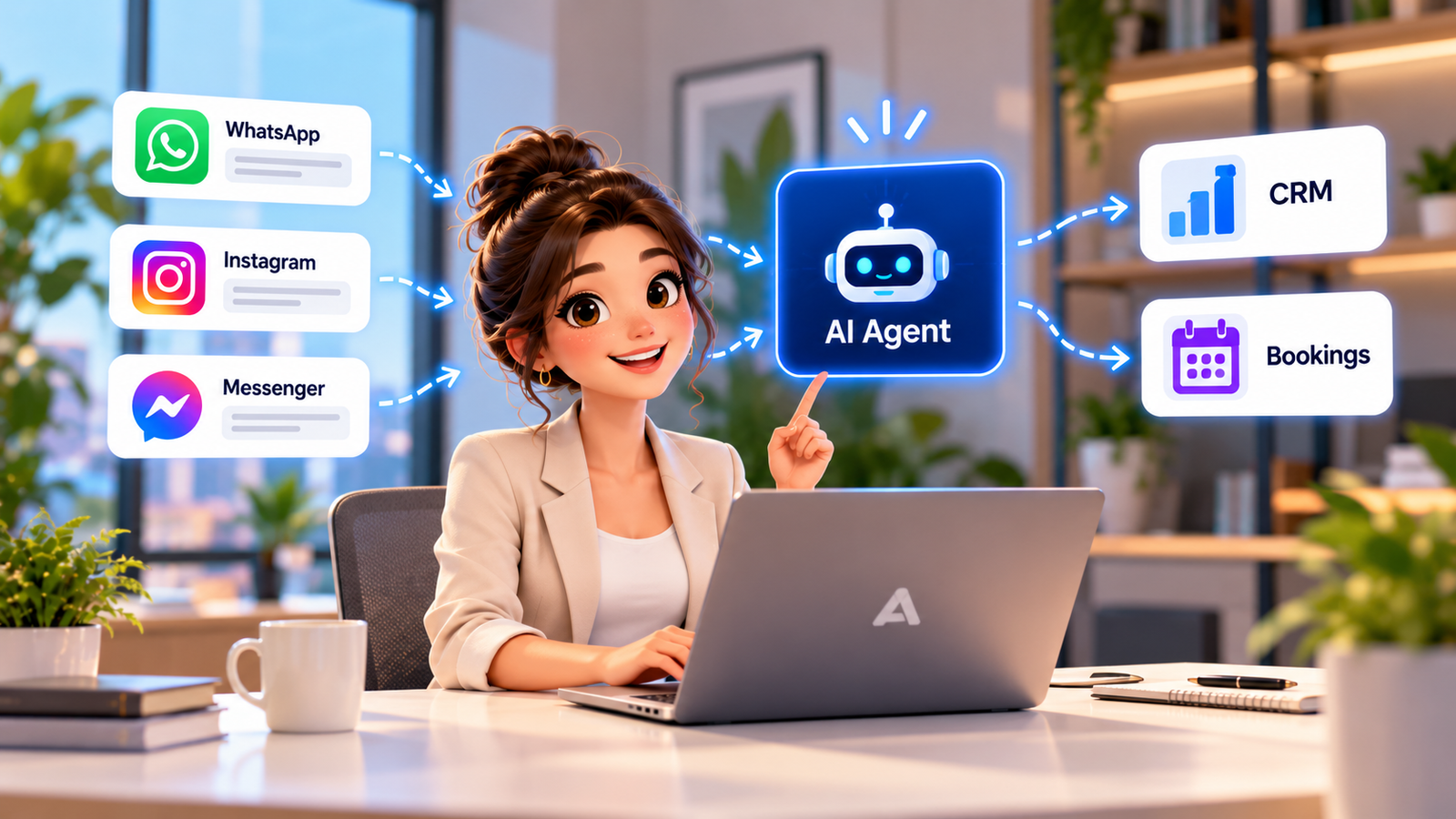
A prospective customer sends a WhatsApp message asking whether your business covers their area. A second prospect starts on Instagram, while an existing customer asks for help through Facebook Messenger. Without an organised response process, conversations scatter across personal devices and busy inboxes. A WhatsApp AI chatbot for business can help handle approved routine enquiries and collect useful context, but it must respect channel policies, customer expectations and staff oversight. This guide focuses on messaging-platform workflows, what to integrate and where automation should stop.
How a WhatsApp chatbot for lead generation should start
Whatsapp chatbot for lead generation: The first job is to answer the person’s real question, not push them into a sales script. An authorised business messaging flow can ask for service requirements, location and a preferred next step after identifying intent. Keep the questions relevant to the requested enquiry and avoid making unsupported availability or pricing promises. Where contact details or conversation content enter the CRM, explain the purpose clearly. Measure qualified conversations and useful handoffs rather than message counts alone.
For example, a local facilities company might receive a WhatsApp enquiry about emergency availability. The bot can collect a postcode and request details, but urgent response promises need confirmed operational coverage.
What WhatsApp Business API automation involves
Whatsapp business api automation: Automation through the official WhatsApp Business Platform depends on appropriate account setup, business messaging rules, message categories and applicable template approval requirements. Customer-service conversations and business-initiated messages are treated differently under platform rules, which can change. Verify the latest Meta documentation and account settings before launch, including messaging windows, template status and delivery reporting. Do not assume that an ordinary WhatsApp mobile account allows unrestricted API-based automation.
Where a WhatsApp AI agent helps and where it should escalate
Whatsapp ai agent: An agent can interpret approved service questions, guide a customer through a short intake and propose booking or follow-up when connected systems permit it. Sensitive personal issues, unresolved complaints, payment disputes and uncertain answers should go to staff. Human colleagues need the previous transcript, customer intent and any actions already requested. Use an explicit escalation rule when the person asks for a human instead of forcing additional AI responses.
Review how media attachments, voice notes and edited messages are handled. Not every integration can interpret every format safely or consistently.
Instagram DM automation for enquiry triage
Instagram dm automation: Instagram direct messages often begin with brief references to a post or story. An authorised flow should preserve that context where available and ask one concise clarification. Avoid treating every emoji, reaction or casual message as a sales lead. The available automation features depend on account eligibility, permissions and current platform rules. A consistent staff inbox makes it easier to continue when automatic replies cannot answer confidently.
A Facebook Messenger chatbot for customer conversations
Facebook messenger chatbot: A Messenger bot can help route straightforward questions, supply approved opening information and create follow-up tasks where platform access allows. Keep policies for response windows, approved message types and business permissions under review. Never promise that messages can be sent indefinitely or without user interaction. Make escalation accessible and prevent the bot from repeatedly asking for contact details already supplied.
A team should test channel permission changes, undelivered messages and conversations transferred between employees before declaring the workflow ready.
Why omnichannel messaging automation needs shared context
Omnichannel messaging automation: Customers may speak through WhatsApp one day and website chat the next. A shared operational view can connect those interactions to the right contact and opportunity, provided identity matching and permissions are reliable. A unified inbox should retain channel provenance, message direction and ownership; it must not merge two different people based only on matching names. Opt-out and channel-specific eligibility should travel with the record without assuming permissions on one channel extend to another.
Messaging journey from channel to CRM and human team
Workflow: An inbound platform event reaches an authorised integration. An AI layer identifies the question using approved business information while rules check whether a response is permitted on that channel. A workflow creates or updates the CRM record, assigns a next action and asks a calendar for availability if booking is requested. The employee receives uncertain or sensitive enquiries with transcript context. Logging, delivery failures and account-policy changes are monitored continuously.
For example, a local facilities company might receive a WhatsApp enquiry about emergency availability. The bot can collect a postcode and request details, but urgent response promises need confirmed operational coverage.
- Capture the customer request and retain the original context.
- Apply authorised intent recognition and business rules.
- Check permissions, ownership and required human approval.
- Write only confirmed actions to the connected CRM or calendar.
- Monitor failure events and route exceptions to staff.
UK PECR and customer-data responsibilities
Compliance: A customer initiating a service conversation is not blanket consent for future promotions. The ICO treats some social direct messages as electronic mail for direct-marketing purposes; marketing messages require assessment under applicable PECR and UK GDPR rules. Different subscriber categories and lawful routes may apply. Respect opt-outs, identify the sender and retain evidence of permissions. Also respect each platform’s policies; meeting UK legal requirements does not automatically make a message permissible under the platform rules.
Deployment checklist and A1 Legacy approach
Implementation: Start with one authorised channel, a small approved knowledge base, two or three common intents and a clear employee owner. Verify account eligibility, integrations, templates where relevant, routing and fallback behaviour. A1 Legacy connects Conversation AI to business operations and CRM context rather than selling a disconnected bot. Follow Discover, Architect, Control, Build, Evaluate, Deploy, Observe and Optimise, and measure successful outcomes plus escalation quality.
Review how media attachments, voice notes and edited messages are handled. Not every integration can interpret every format safely or consistently.
Implementation checklist
- Document the primary customer problem and baseline.
- Map data fields, owners and the exact permitted actions.
- Write approved knowledge and escalation rules.
- Test unusual, duplicate and failed-action scenarios.
- Launch narrowly with employee review and measured outcomes.
- Improve workflows from real customer feedback.
A cross-channel handoff example with clear boundaries
A prospect starts with a WhatsApp question about a local service, requests a callback and later sends an Instagram message referencing the earlier enquiry. A sound process does not assume those accounts belong to the same person without appropriate identity matching. Staff can verify the relationship and then associate authorised conversation details with the correct CRM record. If the business wants to send a promotional follow-up, it must check the rules and permissions specific to that channel rather than importing WhatsApp permissions into Instagram. A customer-service exchange should not trigger indefinite marketing messages. Test approved templates, unanswered questions, failed message delivery and access changes to the connected accounts. Staff should see when a channel is unavailable and receive an alternate task rather than assuming that an automated message was delivered. This makes omnichannel operation practical without sacrificing control.
Choosing the right level of automation
| Situation | Recommended approach | Control |
|---|---|---|
| Incoming routine message | Approved channel response | Observe platform windows |
| Promotional message | Permission and template checks | Assess PECR and channel policy |
| Escalated service query | Employee-owned conversation | Preserve transcript and ownership |
Explore A1 Legacy Conversation AI, our A1LegacyStudio CRM, custom integrations and the AI readiness assessment to understand how a connected workflow can be planned.
Frequently Asked Questions
What is a WhatsApp AI chatbot for business?
It is an automated messaging system that helps answer enquiries and route next actions through an authorised business setup. AI can interpret approved questions and assist with qualification. It still needs platform permissions, clear workflows and accessible human support.
Can WhatsApp chatbots generate leads?
They can help capture relevant business enquiries when customers contact an authorised account. Good lead capture asks useful questions and records context with appropriate privacy information. Automation should not assume that every inbound message permits future promotional contact.
Is WhatsApp Business API automation the same as the mobile app?
No. The API-based business platform is designed for integrations and has its own setup, messaging rules and eligibility requirements. Features and prices can change, so verify current official platform documentation before committing to an implementation.
Can a WhatsApp AI agent book appointments?
It can support bookings if the workflow has authorised access to a calendar and follows platform messaging rules. The booking should only be confirmed after the calendar system returns success. Complex requests should be routed to a person.
Is Instagram DM automation the same as WhatsApp automation?
No. The channels have different account permissions, product capabilities and messaging policies. Teams can maintain a common operational process, but each integration needs individual testing and channel-specific safeguards.
Can Facebook Messenger and WhatsApp share a CRM inbox?
They may be connected through an appropriately configured business integration and CRM, depending on permissions and supported features. Identity matching, consent details and source channels must be preserved. A combined inbox should not conceal where each conversation originated.
What are the compliance rules for messaging automation in the UK?
UK data protection and PECR considerations depend on the purpose and recipients of messages. Direct marketing can require consent or another applicable route, while replying to a requested service enquiry is different. Respect platform policies and seek specialist advice for specific campaigns.
Conclusion: make whatsapp ai chatbot for business a controlled business process
Whatsapp ai chatbot for business works best when messages, customer intent, authorised actions and staff responsibilities form one connected process. Begin with a narrow use case, verify the business rules, record outcomes and improve the workflow from real exceptions. Automation should reduce avoidable admin while preserving trust and human judgement. A1 Legacy designs connected customer communication and operational systems around those principles. If you want to assess the next practical step for your business, Talk To An AI Solutions Architect.